



“Fix It” with Microsoft’s Automated Knowledge Base Solutions
“Oh I hate working with the Registry, I wish there was some sort of magic button that would do that for me!” this is what one of my students told me when I gave her an answer for an issue she had with Windows Server 2008.
As IT Professionals we are often in the need to troubleshoot, research, read and attempt to fix various issues or challenges with server and client operating systems. In many cases, the road to the solution leads to an online Microsoft Knowledge Base article, or KB article for short. These KB articles have a 6 digit number and in most cases describe the problem and offer a solution to it.
Some of the solutions listed in these articles require performing manual changes to the system’s registry, running command prompt commands, replacing files, renaming files and overall – messing with the system in order to fix something that should have not needed fixing in the first place (but that’s an issue for another article…).
In the past few months, Microsoft has begun an interesting project in which many KB articles get an automated solution that allows the administrator to perform the necessary fixes without having to manually open the registry editor or perform other types of manual intervention with the operating system. The magic button has been invented, and it’s called “Fix It For Me”.
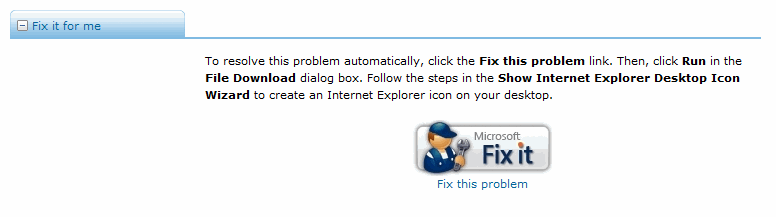
True, a “real IT Pro” should not need to fear the manual process of fixing things in the system. That’s what we do, that’s what we’re being paid for. But still, quoted from their site:
“Have you ever come across a Microsoft Knowledge Base (KB) article or been presented with a Windows Error Reporting (WER) solution and asked yourself, why can’t Microsoft just fix this for me? Today KB articles and WER solutions provide you with a list of steps that can be followed to resolve your issue. However, tomorrow looks much different and we hope it helps you resolve any issues you have with our products faster and easier. Our team’s purpose is to automate the steps in Microsoft KB articles and Windows Error Reporting (WER) solutions so you can click a button and have the issue resolved.”
So here we are, and it seems that Microsoft is indeed on the right way to listen to their customers, and more Fix It articles are being published monthly.
Fix it for me blog
Sample search for Fix It For Me articles on the Microsoft Support site:
Here’s a temporary and very limited list of some of the most interesting Fix It For Me articles. I expect this list to grow, therefore don’t limit yourself to this list, go to their site and look for yourself:
- Fix Runtime Errors in Internet Explorer
- How can I configure my Internet Explorer browser settings after I have removed malicious software from my computer?
- Error message when you use the Add Printer Wizard: “Operation could not be completed”
- I used the Disk Cleanup Tool in Windows Vista, and now the hybrid sleep feature and the hibernation feature are unavailable
- After I install Windows Internet Explorer 7 on a computer that is running Windows XP with Service Pack 2, a “Restore My Active Desktop” button appears on the desktop
- How can I enable or disable automatic updates in Windows Media Player?
- How do I disable balloon tips in the notification area in Windows XP or Vista?
- The Disk Cleanup tool stops responding while it is compressing old files on a Windows XP-based computer
- Description of the cumulative update for Outlook Express (KB887797)
- Why do I receive the following error message when I use Windows Explorer in Windows Vista to rename folders: “The file or folder does not exist”
- It takes much longer than expected to download an e-mail message from a POP3 server in Outlook 2007
- How can I disable changes in Windows Media Player that are introduced after I install security update 936782?
- The Welcome screen may be displayed for 30 seconds, and the logon script interacts with me when I try to log on to a computer that is running Windows Vista or Windows Server 2008
- How do I make the Recycle Bin appear on my desktop in Windows Vista or in Windows XP?
- Why doesn’t my computer detect my new USB device when I’m running Windows XP or Windows Server 2003?
- System performance is slow when I view a multipage TIFF file by using Windows Photo Gallery in Windows Vista
- How do I restore security settings to the default settings?
- How do I configure Internet Explorer to download more than two files at one time?
- Error when you download updates using Windows Update or Microsoft Update: 8000FFFF
- System icons do not appear in the notification area on a Windows Vista-based computer until you restart the computer
- A Web site sends data very slowly or drops the data completely on a Windows Vista Enterprise-based computer
- When I tried to change a tree, I received an error message: “VB Script Error 50000 Save Failed. Processing Failed and the response is not well-formed XML. Invalid at the Top level of the document. Use the ResponseXML Property to obtain the Response.”
And many more.